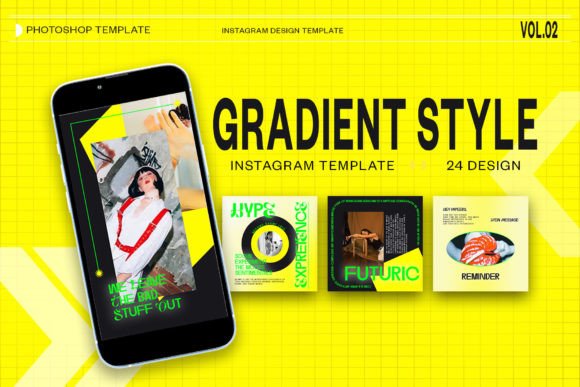
Mastering Gradient Style Instagram PSD Templates
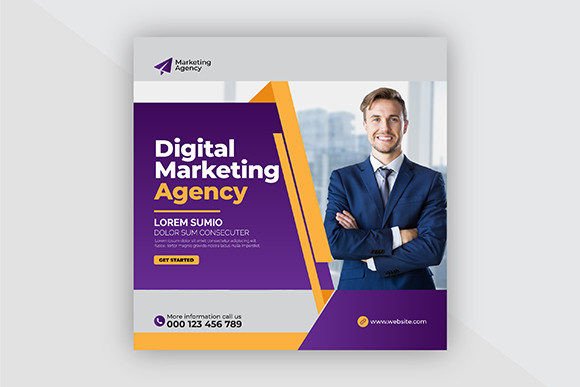
In the fast-paced world of digital marketing, visual consistency is not just an aesthetic choice; it is a strategic necessity. For content creators, social media managers, and small business owners, the pressure to produce high-quality, engaging graphics daily can be overwhelming. This is where a well-structured Gradient Style Instagram PSD becomes an invaluable asset. Rather than starting from scratch for every post, these templates offer a streamlined workflow that balances professional design with operational efficiency. By leveraging pre-designed layouts, you can maintain a cohesive brand identity while significantly reducing the time spent on repetitive design tasks.
Understanding the Value of Smart Objects in Design Workflows
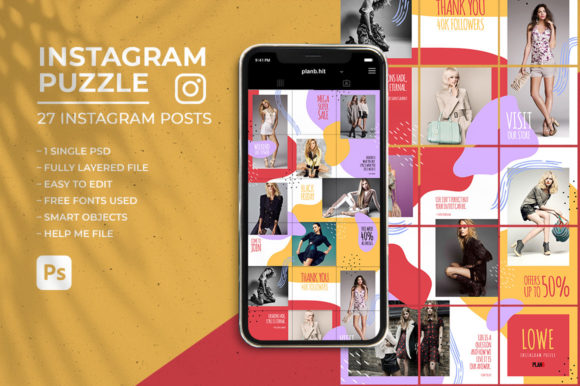
The core advantage of using a professional-grade PSD template lies in its technical construction, specifically the use of Smart Objects. If you are new to Adobe Photoshop, this feature might seem like a minor detail, but it is actually the engine that drives efficiency. In a typical Gradient Style Instagram PSD, the image placeholders are set up as Smart Objects. This means you do not need to manually resize, crop, or adjust the perspective of your photos to fit the design.
The process is remarkably straightforward. You simply double-click on the image layer’s thumbnail icon within the layers panel. This action opens a separate window containing your placeholder. Here, you paste or place your own photograph, save the file using CTRL S (or Command S on Mac), and close the window. Instantly, your image appears in the main composition, perfectly masked and aligned with the gradient background. This non-destructive editing method ensures that your original image quality remains intact, allowing for infinite revisions without degrading the visual fidelity. For marketers who need to swap out product images or lifestyle shots frequently, this feature alone can save hours of work each week.
Optimizing Visual Quality for Digital Platforms
When designing for social media, resolution and color space are critical factors that often get overlooked by beginners. A high-quality template addresses these technical requirements upfront. The standard dimensions for an Instagram square post are 1080 x 1080 pixels, while stories and reels typically require a vertical format of 1920 x 1080 pixels (or more accurately, 1080x1920 for full-screen vertical). A comprehensive pack usually includes both formats, ensuring your content looks sharp whether it appears in the feed or as a transient story.
Furthermore, professional templates are configured in RGB color mode. This is essential because digital screens display colors using red, green, and blue light. Designing in CMYK, which is used for print, can result in dull or inaccurate colors when viewed on smartphones. By sticking to RGB, you ensure that the vibrant gradients and bold typography in your design appear exactly as intended on your audience’s devices. Additionally, while screen resolution is typically 72 DPI, many high-end templates are created at 300 DPI. While this higher resolution is not strictly necessary for web display, it provides a safety net. It allows you to repurpose the same design for high-quality printed materials, such as flyers or brochures, without needing to recreate the layout from scratch. This versatility adds significant value to your design resources.
Enhancing Brand Consistency Through Editable Typography
Consistency builds trust. When your audience sees a recognizable style across your posts, they begin to associate that visual language with your brand. However, maintaining this consistency manually is difficult. This is where the fully editable text feature of the Gradient Style Instagram PSD shines. Every headline, subheader, and call-to-action is created using standard text tools. This means you can change the wording, font size, color, and spacing to match your specific campaign needs without breaking the design layout.
For example, a fitness coach might use a bold, sans-serif font for motivational quotes, while a luxury retailer might prefer a sleek serif typeface for product announcements. Because the text layers are organized and labeled, you can quickly adapt the tone of your message. You are not locked into a rigid structure; instead, you have a flexible framework that supports your creative direction. This level of customization ensures that while the underlying design remains consistent, the content feels fresh and relevant to current trends or promotions.
Who Benefits Most from Pre-Designed Gradient Templates?
While anyone involved in digital content creation can benefit from these tools, certain groups will find them particularly transformative. Freelancers and agencies often juggle multiple clients with distinct brand identities. Having a library of gradient-style templates allows them to switch contexts quickly, delivering polished results without burning out on repetitive design work. Similarly, small business owners who wear many hats can use these templates to maintain a professional online presence without hiring a full-time graphic designer. The ease of use lowers the barrier to entry, enabling entrepreneurs to focus on their core business operations while still producing marketing materials that compete with larger brands.
Educators and influencers also benefit significantly. They often need to share information rapidly, such as event announcements, tip sheets, or behind-the-scenes glimpses. The speed of the Smart Object workflow means they can react to trending topics in real-time, posting high-quality visuals while the conversation is still relevant. In an algorithm-driven environment, speed and quality are equally important, and these templates help bridge the gap between the two.
Practical Considerations and Limitations
Despite their many advantages, it is important to approach template usage with a strategic mindset. Relying too heavily on a single design style can lead to visual fatigue among your followers. While the Gradient Style Instagram PSD offers a modern and eye-catching look, it should be part of a broader content strategy. Consider alternating between different template styles, incorporating video content, and using candid photography to keep your feed dynamic.
Additionally, while the templates are easy to use, they do require a basic understanding of Adobe Photoshop. Users must be comfortable navigating layers, using the text tool, and managing Smart Objects. For those completely new to design software, there may be a slight learning curve. However, most reputable template providers include instruction files or video tutorials that guide you through the process step-by-step. Investing time in learning these basics pays off in the long run, as the skills acquired are transferable to other design projects.
It is also worth noting that gradients, while trendy, must be used thoughtfully. Ensure that there is sufficient contrast between the background gradient and your text or product images. Poor contrast can make content difficult to read, especially for users with visual impairments or those viewing screens in bright sunlight. Always preview your designs on mobile devices before publishing to ensure legibility and visual impact.
Maximizing Efficiency in Your Content Calendar
Integrating these templates into your workflow can transform how you plan and execute your social media strategy. Instead of designing posts one by one, you can batch-create content. Spend an hour selecting your images, updating the text, and saving the files for the entire week or month. This batch processing approach frees up mental energy and allows you to focus on engagement and community building, which are equally critical for growth. By simplifying the production phase, you create space for the strategic thinking that truly drives results.
In conclusion, a Gradient Style Instagram PSD is more than just a pretty picture; it is a productivity tool designed for the modern creator. By combining technical precision with aesthetic appeal, it empowers users to produce professional-grade content efficiently. Whether you are a seasoned designer looking to streamline your workflow or a business owner aiming to elevate your brand presence, understanding how to leverage these resources can lead to more consistent, engaging, and effective social media communication.