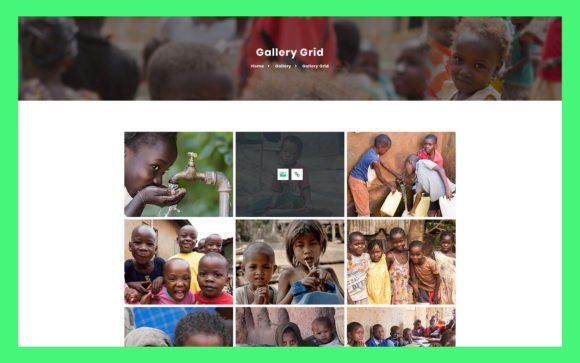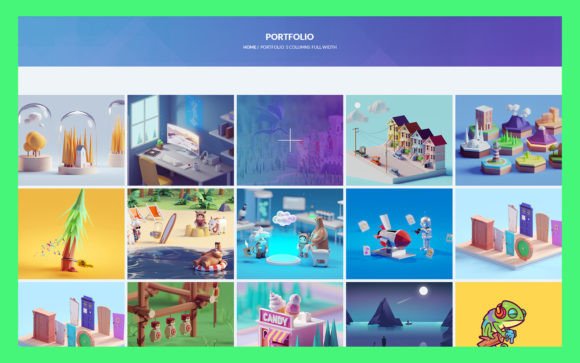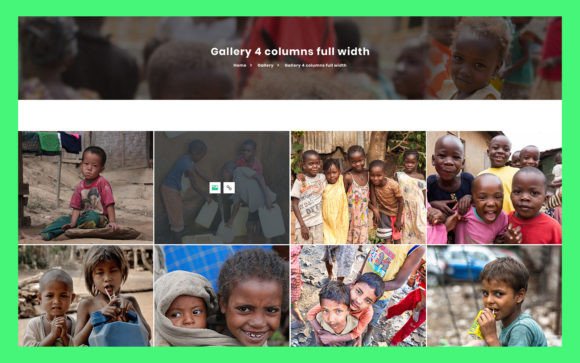
12 Portfolio UI Elements: A Practical Guide to Clean, Customizable Design
Building a professional online presence often feels like walking a tightrope. On one side, you have the need for a visually stunning showcase of your work; on the other, you have the limited time and technical resources to build it from scratch. This is where 12 Portfolio UI Elements steps in as a pragmatic solution for creators, freelancers, and small business owners who need to look polished without spending weeks on design.
At its core, this resource is a collection of pre-designed user interface components specifically tailored for portfolio websites and digital resumes. But describing it merely as a "template" undersells its utility. It is a modular toolkit built in Adobe Photoshop, featuring fully organized layers, RGB color profiles, and Google Fonts integration. The goal is simple: to provide a foundation that is both aesthetically modern and incredibly easy to customize.
Why Modular Design Matters for Non-Designers
Many professionals excel in their specific fields—whether that’s photography, copywriting, software development, or consulting—but lack deep expertise in graphic design. When these individuals attempt to build a portfolio, they often face two choices: hire an expensive agency or struggle with complex drag-and-drop builders that still require a keen eye for layout balance.
12 Portfolio UI Elements bridges this gap by offering a middle ground. Because the source file is a PSD (Photoshop Document) with fully organized layers, users can isolate specific parts of the design. You aren’t forced to accept a rigid structure. If you love the header but want to change the project grid layout, you can do so without breaking the entire visual harmony. This modularity is crucial for maintaining a consistent brand identity while allowing for personalization.
Real-World Use Cases Across Industries
The versatility of these UI elements means they aren’t limited to one type of user. Here is how different professionals can leverage this toolkit in realistic scenarios.
The Freelance Creative
Consider a freelance graphic designer or illustrator. Their primary currency is their visual output. They need a portfolio that recedes into the background, letting the artwork speak for itself. The clean, minimal design of these UI elements ensures that buttons, navigation bars, and text blocks do not compete with the portfolio pieces. By using the included Google Fonts, a freelancer can quickly match the typography to their personal brand guidelines, ensuring that their website feels like an extension of their artistic style rather than a generic template.
The Tech Entrepreneur or Developer
For software developers and startup founders, credibility is key. A cluttered or outdated website can signal a lack of attention to detail. These UI elements offer a modern, structured look that conveys professionalism. A developer might use the predefined sections to highlight case studies, showcasing the problem, the solution, and the tech stack used. Since the files are easy to edit in Photoshop, they can swap out placeholder images for screenshots of their apps or dashboards, adjusting colors to match their company’s branding with just a few clicks.
The Consultant or Coach
Service-based professionals, such as marketing consultants or life coaches, often struggle to visualize their intangible services. This toolkit helps by providing structured layouts for testimonials, service descriptions, and "about me" sections. A coach can use the clean typography to make their philosophy statement stand out, while the organized layers allow them to easily insert headshots that feel integrated rather than slapped on. The simplicity of the design builds trust, suggesting clarity and focus—traits clients look for in a consultant.
The Advantage of Fully Organized Layers
One of the most frustrating aspects of downloading design resources is opening the file to find a chaotic mess of unnamed layers. It turns a quick edit into a hour-long forensic investigation. 12 Portfolio UI Elements addresses this pain point directly by providing fully organized layers.
This feature is not just about convenience; it is about efficiency and error reduction. When layers are grouped logically—for example, separating background elements from text and images—you can make global changes quickly. Want to change the primary accent color from blue to green across the entire header? With organized layers, this is a matter of selecting the right group and applying a color overlay or adjustment layer. For users who are comfortable with Photoshop but not experts, this organization lowers the barrier to entry significantly. It empowers them to experiment without the fear of permanently breaking the design.
Customization: Color, Typography, and Branding
A common misconception about using pre-made UI elements is that your site will look like everyone else’s. However, the ease of customization in this pack allows for significant differentiation. The inclusion of Google Fonts is a strategic choice. These fonts are web-safe, widely recognized, and easy to implement in actual web development later on. By previewing different font pairings in Photoshop, users can establish a typographic hierarchy that suits their tone—whether it’s bold and authoritative or light and approachable.
Furthermore, the RGB color format ensures that what you see on your screen is exactly what will appear on digital devices. This is vital for maintaining brand consistency. Users can sample colors from their existing logo or marketing materials and apply them directly to the UI elements. This seamless integration means that when the design is handed off to a developer, or implemented by the user themselves, the visual identity remains intact.
What to Consider Before You Start
While 12 Portfolio UI Elements is designed to be user-friendly, there are practical considerations to keep in mind to ensure you get the most out of it.
- Software Proficiency: While you don’t need to be a Photoshop wizard, basic familiarity with layers, masks, and text tools is necessary. If you have never opened a PSD file before, expect a slight learning curve. However, the organized nature of the file makes this a great opportunity to learn basic design principles.
- Content Preparation: The design is only as good as the content you put into it. Before you start editing, gather your high-resolution images, write your bio, and curate your project descriptions. Having this material ready allows you to focus on layout and aesthetics rather than scrambling for content mid-design.
- Web Implementation: Remember that this is a design file, not a coded website. You will need a way to translate this PSD into a live site. This could mean hiring a front-end developer, using a no-code builder that allows custom imports, or slicing the image yourself if you have the technical skills. Plan for this step early in your process.
Making the Most of Simplicity
In a digital landscape cluttered with animations, pop-ups, and complex interactions, simplicity is a competitive advantage. 12 Portfolio UI Elements embraces this philosophy. By stripping away unnecessary decoration, it forces the focus onto what matters: your work and your message.
For the everyday user, the blogger, or the small business owner, this approach reduces cognitive load for visitors. When a potential client lands on your page, they should immediately understand who you are and what you offer. These UI elements facilitate that clarity through ample white space, clear headings, and intuitive navigation structures.
Ultimately, the value of this toolkit lies in its ability to save time without sacrificing quality. It allows you to bypass the blank canvas paralysis that plagues many creative projects. Instead of wondering where to place the next button or how large the headline should be, you start with a proven structure. You then refine it, tweak the colors, swap the fonts, and inject your personality. The result is a professional, cohesive portfolio that reflects your unique brand, built on a foundation of solid, modern design principles.
Whether you are launching a new side hustle, updating your resume for a job hunt, or refreshing your agency’s online presence, having a reliable, customizable design resource can be the difference between a project that drags on for months and one that launches in days. 12 Portfolio UI Elements offers that reliability, giving you the freedom to focus on your craft while your portfolio handles the first impression.