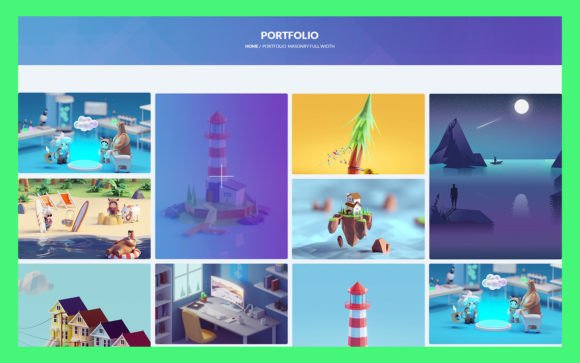
18 Portfolio UI Elements for Designers
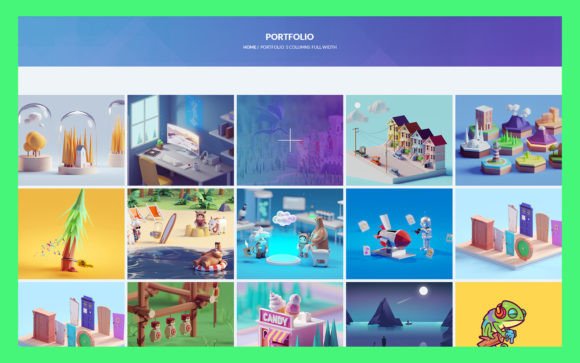
In the fast-paced world of digital design, first impressions are often the only impressions. Whether you are a freelance graphic designer, a web developer, or a creative agency owner, your portfolio is the primary vehicle through which potential clients evaluate your skills. However, building a portfolio from scratch can be a time-consuming process that detracts from the actual work you want to showcase. This is where 18 Portfolio UI Elements becomes an invaluable resource. It offers a streamlined approach to presenting your projects, ensuring that your work remains the focal point while maintaining a professional and polished aesthetic.
The core value of this toolkit lies in its simplicity and adaptability. Designed for professionals who need to deploy high-quality presentations quickly, these elements provide a foundation that is both robust and flexible. By utilizing pre-designed components, you eliminate the repetitive task of creating basic layout structures, allowing you to focus on curating your best work and refining your personal brand narrative.
Streamlining Your Design Workflow
One of the most significant challenges faced by creatives is balancing billable work with administrative and promotional tasks. Spending hours adjusting margins, selecting typography pairings, or aligning grid systems for a portfolio update is rarely the best use of your time. 18 Portfolio UI Elements addresses this inefficiency by providing fully organized layers within Adobe Photoshop. This structure means that every component is logically named and grouped, making navigation intuitive even for those who are not Photoshop experts.
For instance, consider a freelancer who has just completed a major branding project. Instead of starting a new presentation deck or webpage layout from a blank canvas, they can open the PSD source file, duplicate a relevant section, and drop in their new images. The clean, modern design ensures that the layout looks professional immediately. This capability to swap content rapidly supports a more agile workflow, enabling you to keep your portfolio up-to-date with minimal friction. The time saved on structural design can then be reinvested into client acquisition or skill development.
Customization Without Complexity
A common misconception about using template-based UI elements is that they result in generic-looking portfolios. However, the 18 Portfolio UI Elements kit is engineered for deep customization. The source file format is PSD, which is widely supported and allows for extensive editing. You are not locked into a rigid structure; rather, you are provided with a versatile framework that adapts to your specific needs.
Color consistency is crucial for brand identity. With this toolkit, changing the color style is straightforward. Because the files use RGB color mode, they are optimized for digital display, ensuring that what you see on your screen is what your audience will see on their devices. Whether your personal brand relies on bold, vibrant hues or a minimalist monochrome palette, you can adjust the global colors to match your aesthetic seamlessly. This flexibility ensures that your portfolio feels authentic to you, rather than like a off-the-shelf product.
Furthermore, the integration of Google Fonts adds another layer of typographic control. Typography plays a pivotal role in readability and tone. By leveraging Google Fonts, you have access to a vast library of typefaces that are web-safe and visually appealing. This allows you to align the textual elements of your portfolio with the visual style of your projects, creating a cohesive user experience.
Enhancing Visual Communication
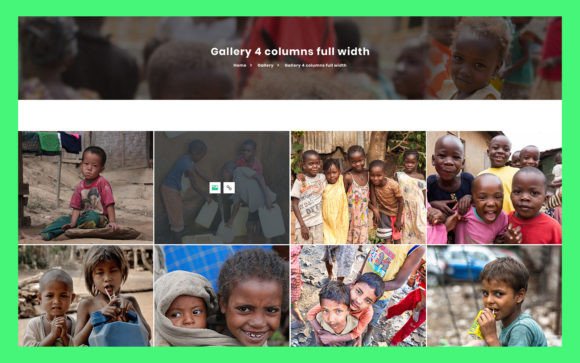
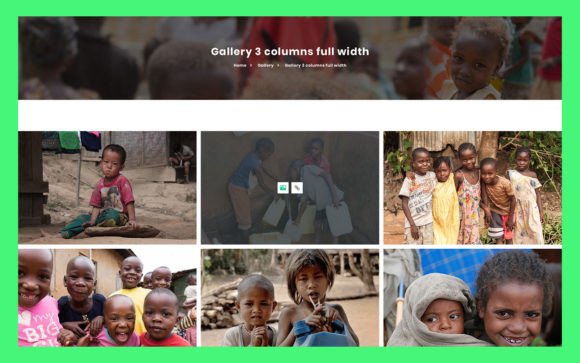
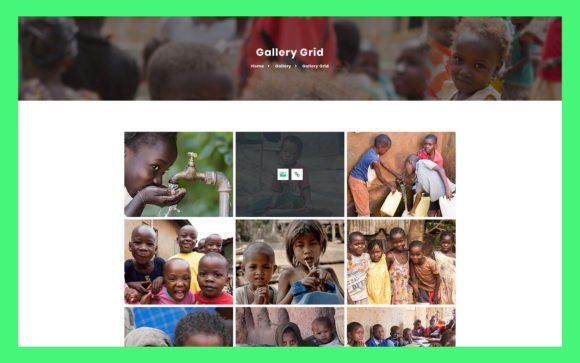
The primary goal of any portfolio is to communicate the quality and scope of your work effectively. Cluttered or confusing layouts can distract viewers and dilute the impact of your projects. The simple, clean, and modern design of 18 Portfolio UI Elements prioritizes clarity. Each element is designed to frame your content without overpowering it.
For example, if you are a UX designer, you likely need to display case studies that include wireframes, user flows, and final high-fidelity screens. The organized layers in this kit allow you to create clear visual hierarchies. You can easily arrange these different asset types in a way that guides the viewer through your design process logically. This structured presentation helps potential clients understand your problem-solving abilities, not just your visual output.
Similarly, photographers and illustrators benefit from the ample white space and neutral backgrounds provided by the toolkit. These design choices ensure that the artwork stands out. When the interface recedes, the art advances. This principle is central to effective portfolio design, and these UI elements facilitate it by removing unnecessary decorative distractions.
Ideal Use Cases and Audience Fit
Who benefits most from 18 Portfolio UI Elements? While it is versatile enough for various creatives, it is particularly well-suited for freelancers, small business owners, and independent consultants who manage their own marketing materials. These individuals often lack the resources to hire a dedicated web designer for every portfolio update. Having a reliable, editable PSD file empowers them to maintain a professional online presence independently.
Marketers and bloggers can also leverage these elements to create visually engaging media kits or service overview documents. The ability to quickly assemble a polished presentation helps in pitching services to potential partners or sponsors. Additionally, educators and hobbyists looking to showcase their projects for academic or personal growth purposes will find the ease of use accommodating. The low barrier to entry means that even those with intermediate design skills can produce high-quality results.
However, it is important to recognize limitations. If you require complex interactive features, such as advanced animations or dynamic database integration, a static PSD template may not suffice. In such cases, these UI elements can still serve as a excellent starting point for designing the visual interface before handing it off to a developer for coding. They bridge the gap between concept and execution, providing a clear visual reference for web development teams.
Maximizing the Value of Organized Layers
The technical quality of a design file often determines how enjoyable it is to work with. Messy, unorganized files can lead to frustration and errors. 18 Portfolio UI Elements distinguishes itself through its fully organized layers. This attention to detail reflects a professional standard that respects the user’s time. When layers are grouped and labeled correctly, finding specific elements becomes effortless. You can toggle visibility, adjust opacity, or modify specific components without affecting the rest of the design.
This organization also facilitates collaboration. If you are working with a team or handing off files to a client, a clean PSD structure ensures that everyone is on the same page. It reduces the learning curve for anyone else who might need to edit the file in the future. This level of professionalism enhances your reputation, showing that you value precision and order in your work processes.
Making the Right Choice for Your Brand
Choosing the right tools for your portfolio is a strategic decision. It is not just about aesthetics; it is about efficiency, communication, and brand alignment. 18 Portfolio UI Elements offers a balanced solution for those who need a professional look without the overhead of custom design from scratch. By focusing on simplicity, customizability, and ease of use, it supports your goals of presenting your work in the best possible light.
As you consider updating your portfolio, think about the message you want to send. Do you want to highlight your speed and efficiency? Your attention to detail? Your modern aesthetic? This toolkit provides the building blocks to convey those messages effectively. Remember, your portfolio is a living document that evolves with your career. Having a flexible, easy-to-edit foundation allows you to grow and adapt without constantly rebuilding your presentation platform from the ground up.
In conclusion, integrating 18 Portfolio UI Elements into your design workflow can significantly enhance how you present your services and projects. It saves time, reduces stress, and ensures a consistent, high-quality visual standard. For professionals seeking to optimize their online presence and communicate their value clearly, this resource offers a practical and effective solution.